


Activate in Fortnox, connect Copilot.
The licence lands on your ordinary Fortnox invoice. No separate contract and no card details.
Assumes you are allowed to buy and activate integrations in Fortnox.
- 99 kr per user Per user and company per month, excluding VAT. No setup fees and no per-call charges.
- 30-day money-back Change your mind and you cancel in Fortnox. No lock-in and no notice period.
- No integration licence The licence lands on the Fortnox invoice you already get, and needs nothing extra in your Fortnox contract.
- Several companies is fine If you work in several Fortnox companies you activate the connector in each, with one licence per company.
// licences
Guide: buy and manage licences in Fortnox
Done
This is the only thing you do in Fortnox. The licence is activated when you connect Fortnox in Copilot. How to connect Copilot.
Step 1 of 4
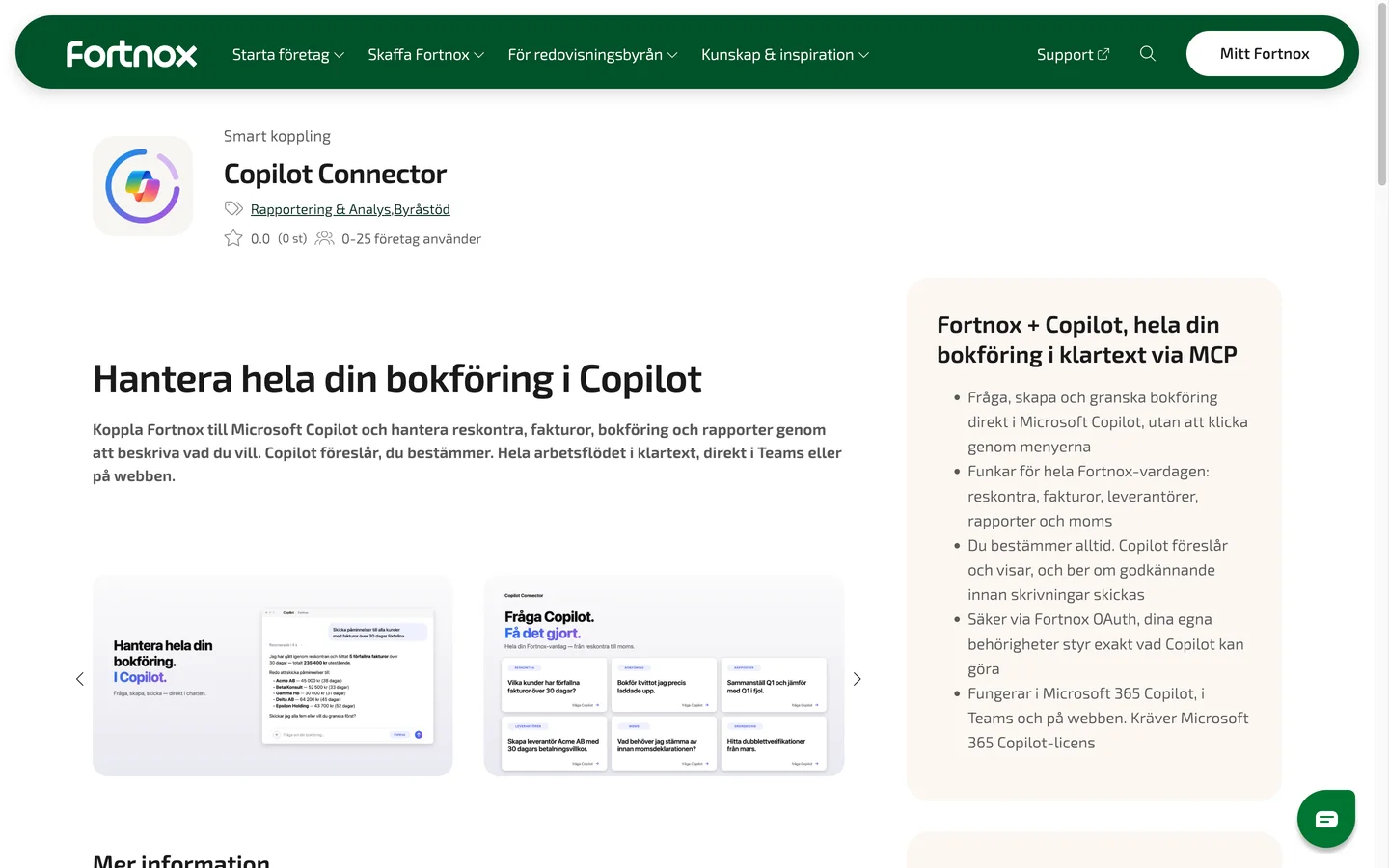
Open Copilot Connector in the Fortnox marketplace
This is where you buy the licence. The name and logo of Copilot Connector are at the top of the page.
Open Copilot Connector in Fortnoxfortnox.se(opens in a new tab)Stuck on this step?
Contact support about this step →Looks different on your screen?
Still stuck? Tell us which step and we will help you through it.
Step 2 of 4
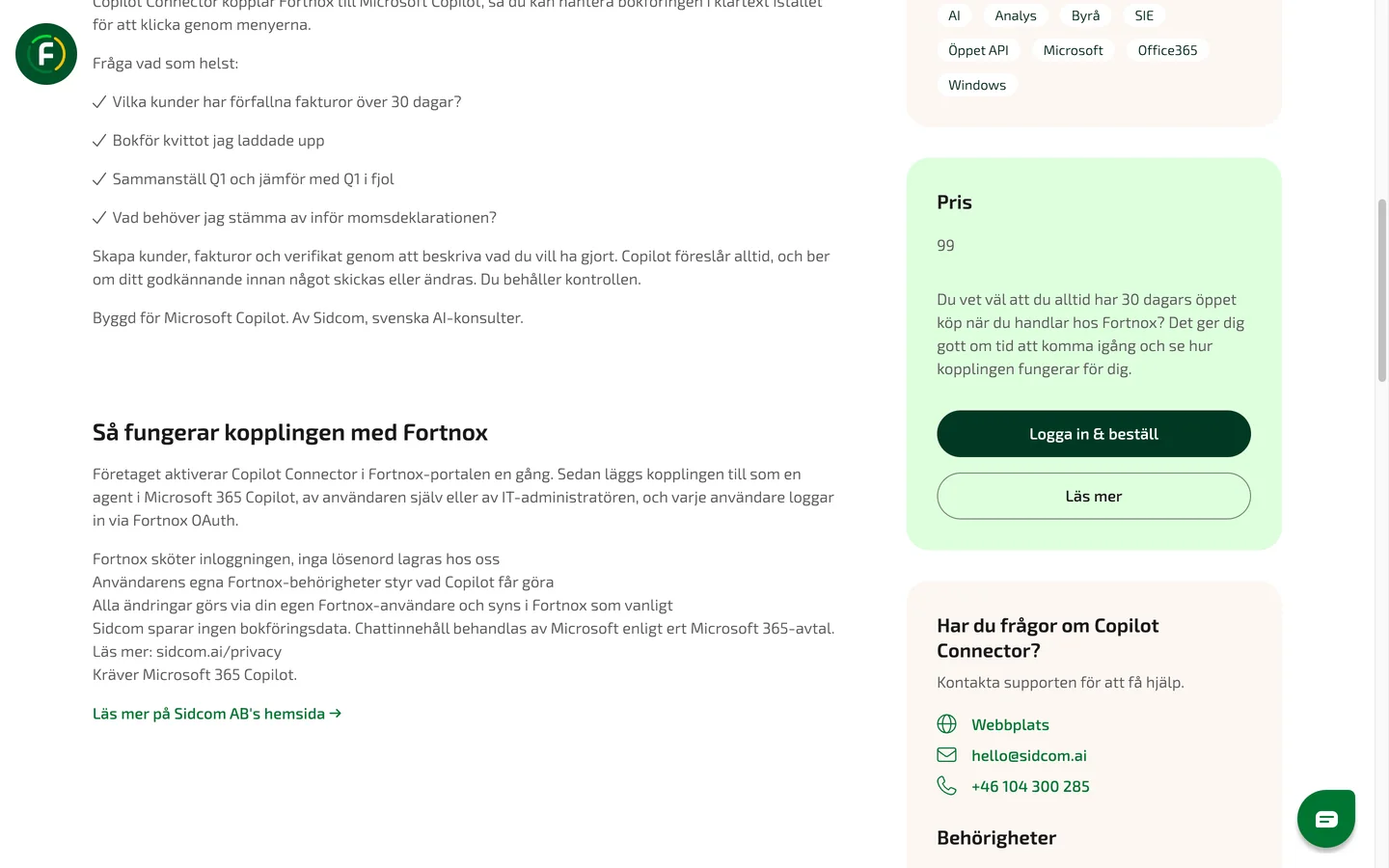
Click Logga in & beställ
Scroll down to the Pris (price) box on the right of the page. Sign in to Fortnox, for example with BankID, if asked.
ClickLogga in & beställ
Stuck on this step?
Contact support about this step →Looks different on your screen?
Still stuck? Tell us which step and we will help you through it.
Step 3 of 4
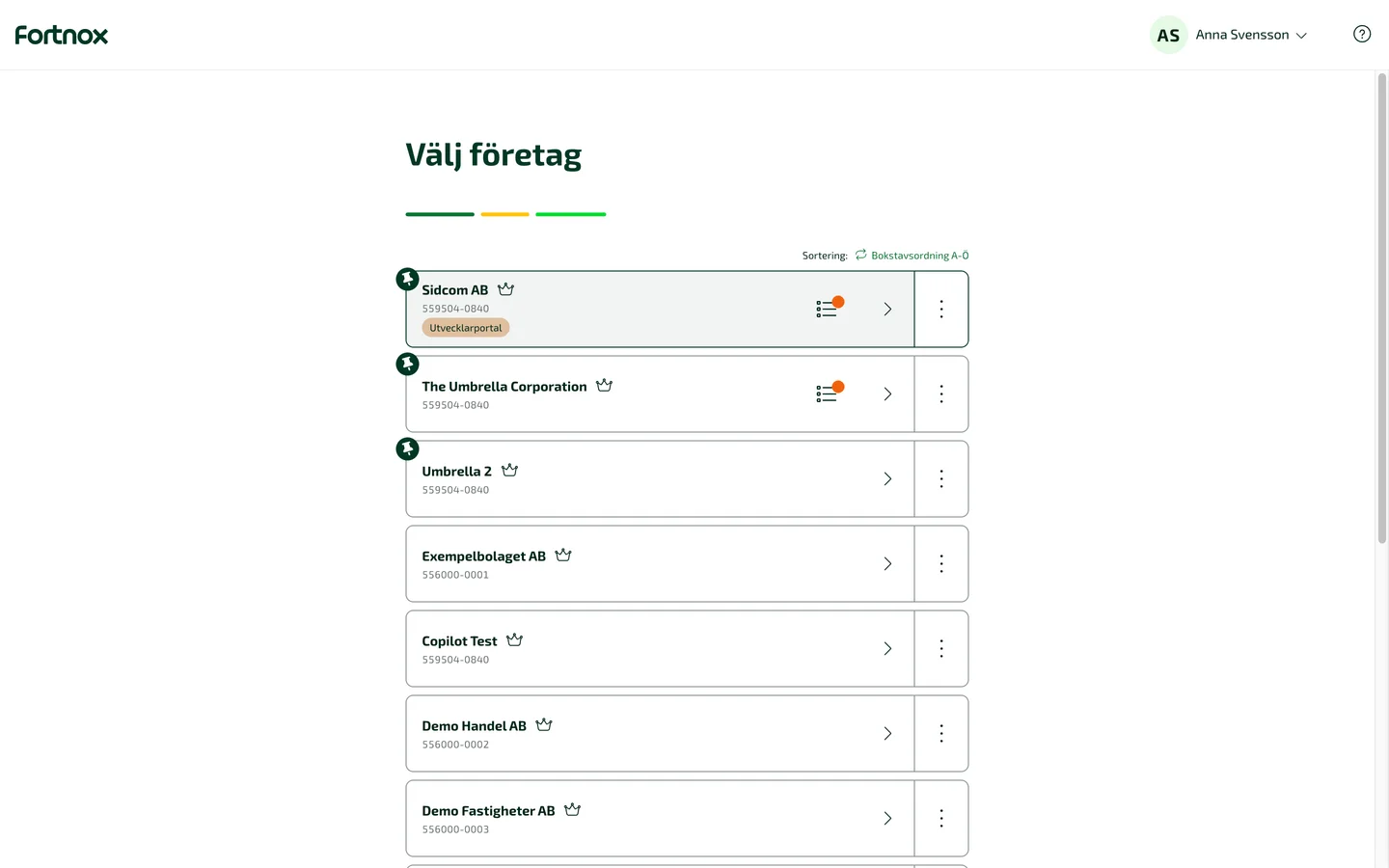
Choose the company
Pick the company that should have the connector. Working in several companies? Buy licences in each one.
ClickYour company
Have Digital Byrå? Then your company is listed twice. Choose the one that is not marked Digital Byrå.
Stuck on this step?
Contact support about this step →Looks different on your screen?
Still stuck? Tell us which step and we will help you through it.
Step 4 of 4
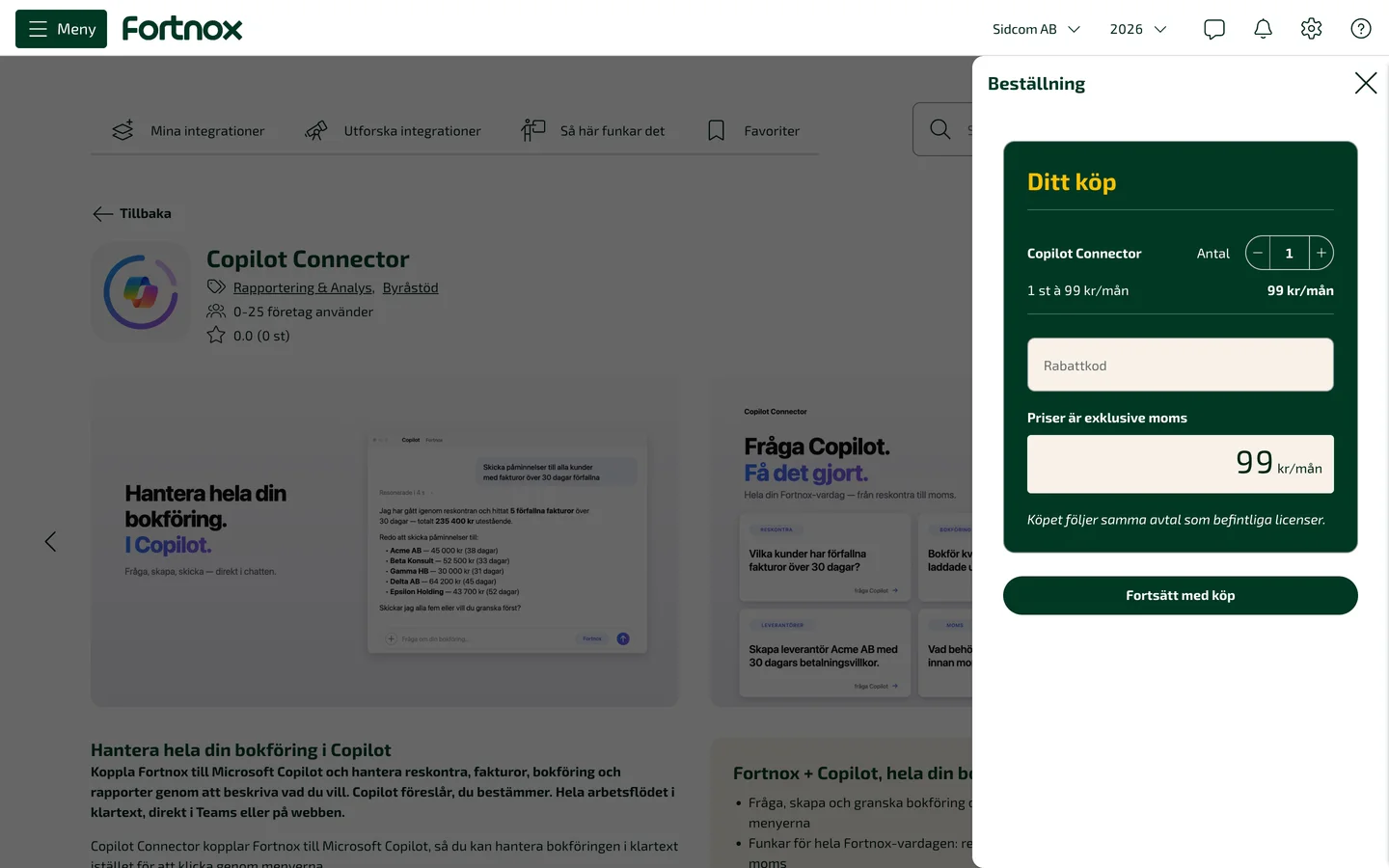
Choose how many and click Fortsätt med köp
One licence per person who will use Copilot with the company. You can buy more later. Then confirm the purchase.
ClickFortsätt med köp
SEK 99 per user and company per month, excluding VAT, with a 30 day money back guarantee.
Stuck on this step?
I am not allowed to buy
You need permission to buy integrations in Fortnox, usually an administrator has it. Ask whoever administers your Fortnox to buy, or to give you the permission.
Contact support about this step →Looks different on your screen?
Still stuck? Tell us which step and we will help you through it.
Done
In Fortnox you only make sure there are licences. Who gets one is decided when the person connects in Copilot. How to connect Copilot.
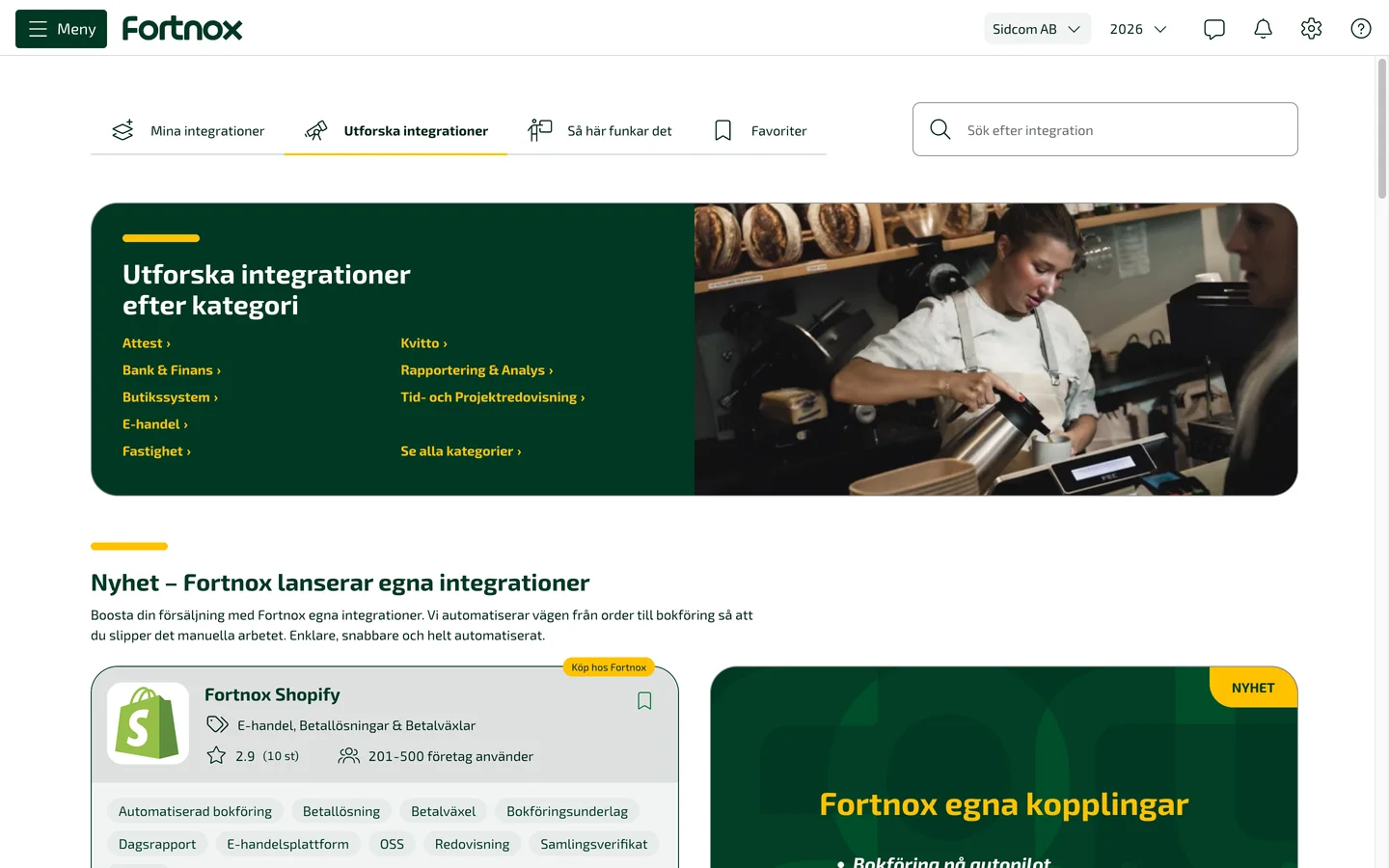
Step 1 of 7
Click the company name
Top right in Fortnox.
ClickYour company
Stuck on this step?
Contact support about this step →Looks different on your screen?
Still stuck? Tell us which step and we will help you through it.
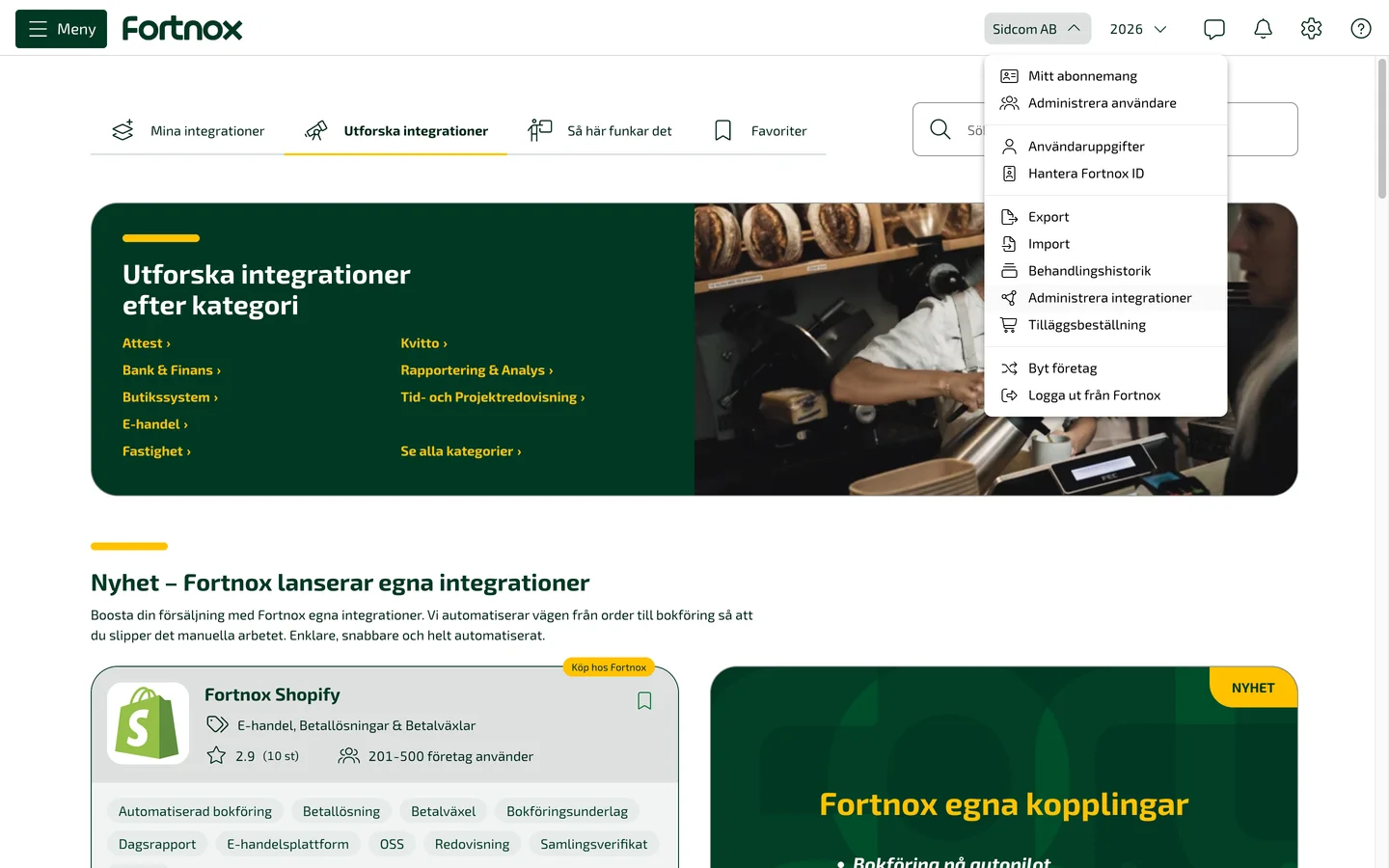
Step 2 of 7
Choose Administrera integrationer
Manage integrations lists every integration connected to your Fortnox.
ClickAdministrera integrationer
Stuck on this step?
Contact support about this step →Looks different on your screen?
Still stuck? Tell us which step and we will help you through it.
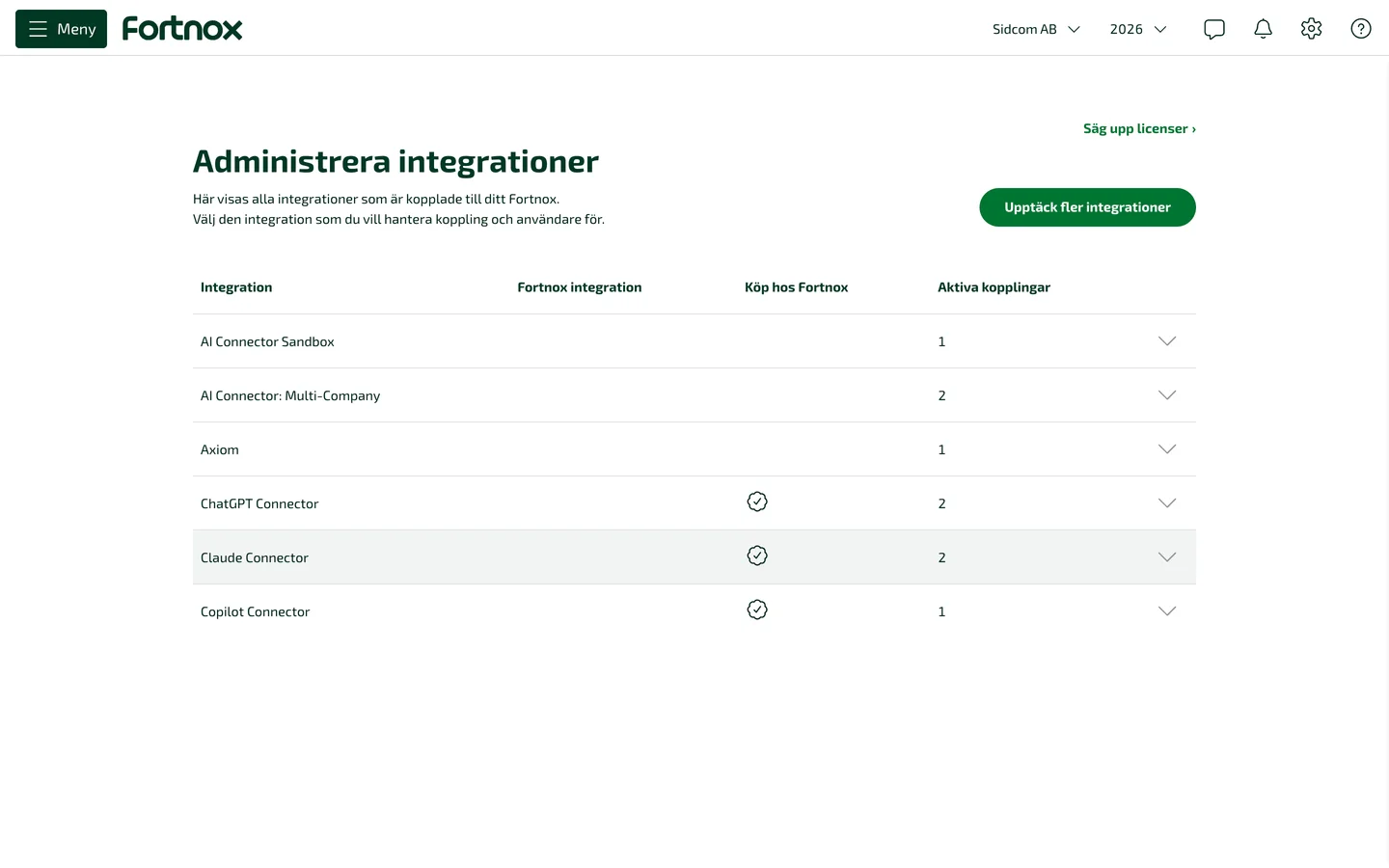
Step 3 of 7
Expand Copilot Connector
Click the Copilot Connector row. The pictures show Claude Connector, Copilot Connector looks the same.
Stuck on this step?
Contact support about this step →Looks different on your screen?
Still stuck? Tell us which step and we will help you through it.
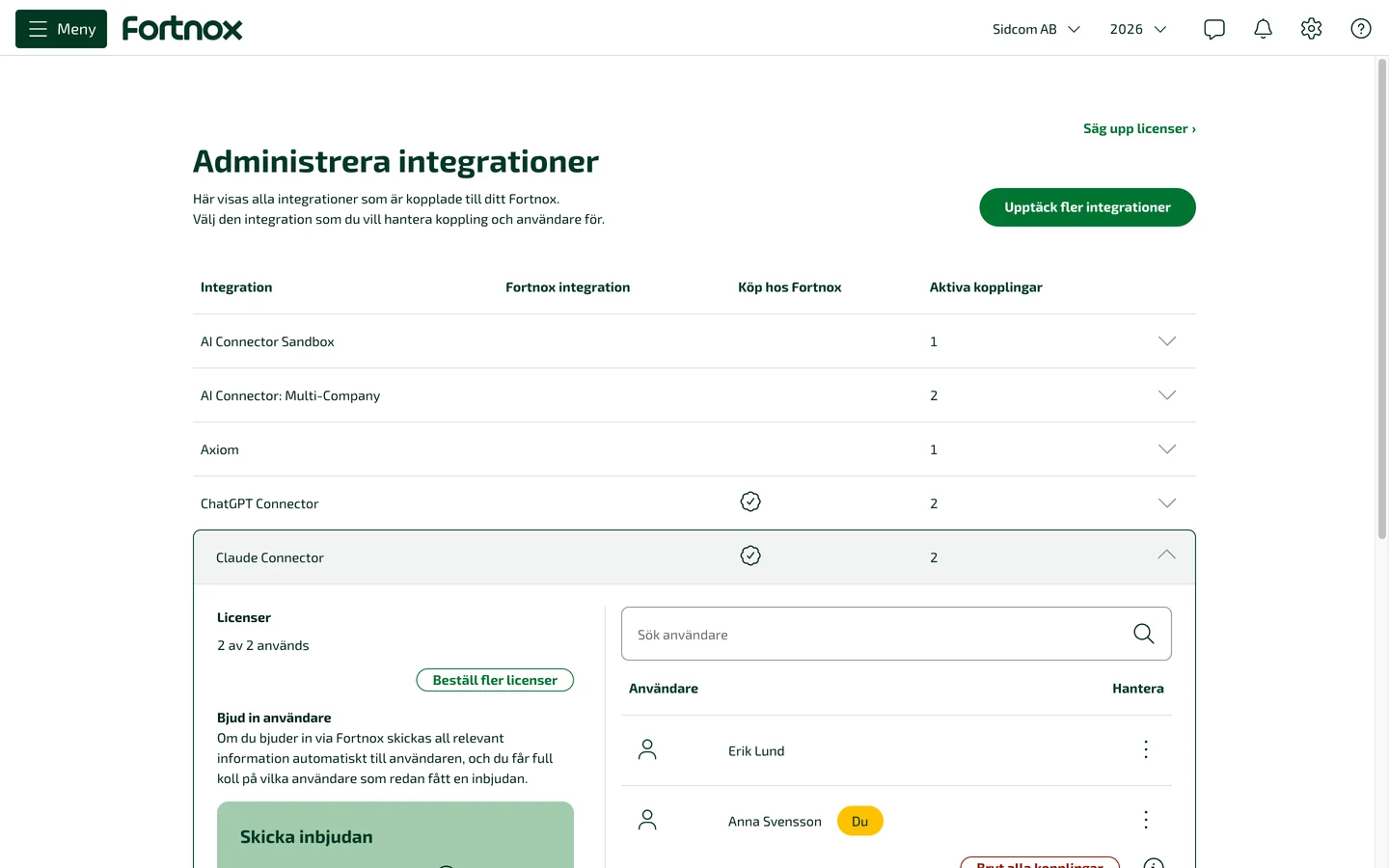
Step 4 of 7
Is there a free licence?
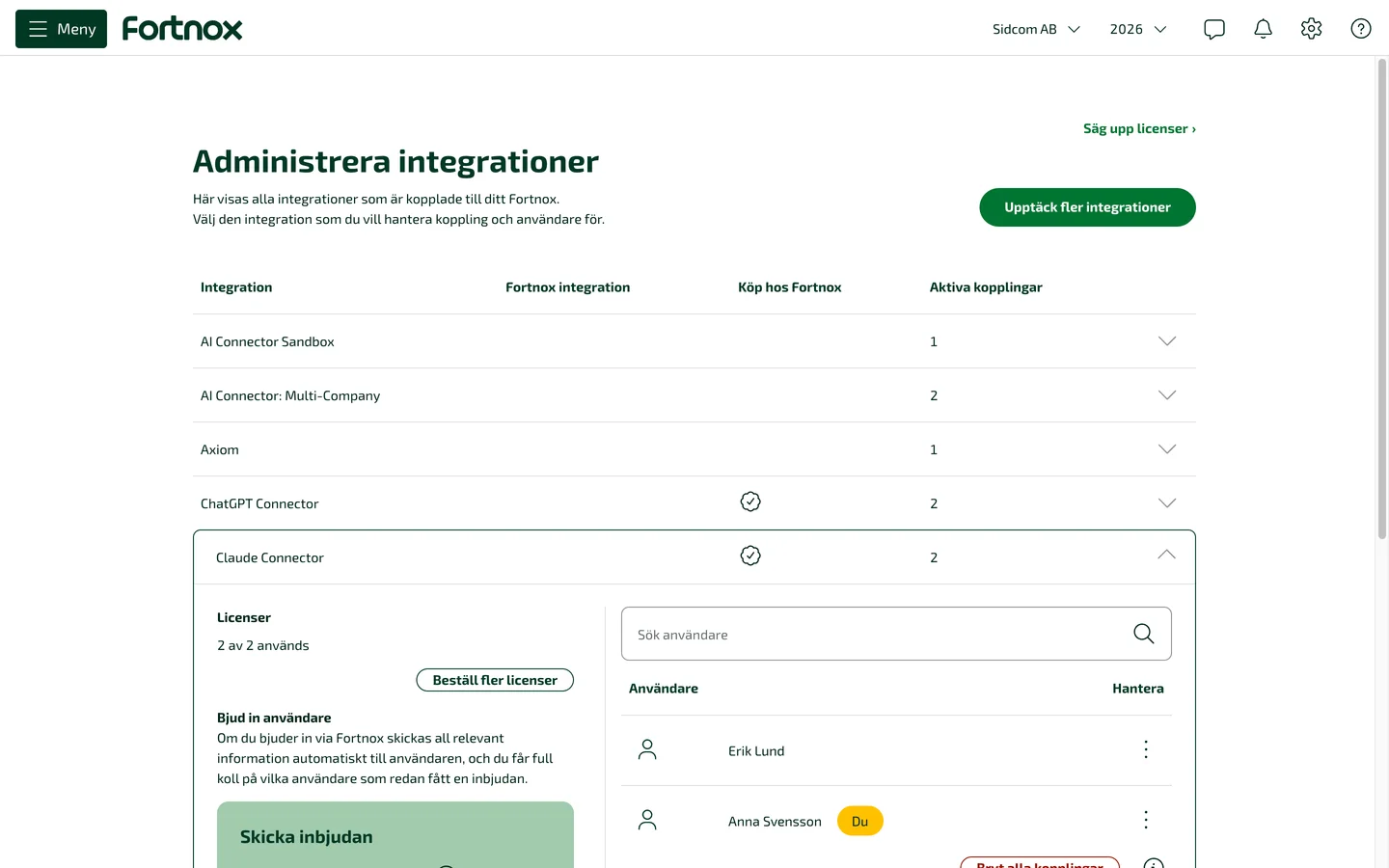
Under Licenser you see how many are used. If it says for example 2 av 2 används (2 of 2 used), all are taken, and the next person to connect is told the licence is missing.
Stuck on this step?
Contact support about this step →Looks different on your screen?
Still stuck? Tell us which step and we will help you through it.
Step 5 of 7
Click Beställ fler licenser
Order more licences, one for each person who will connect. That is all you need to do in Fortnox.
ClickBeställ fler licenser
Need fewer? Säg upp licenser (cancel licences) is above the Upptäck fler integrationer button.
Stuck on this step?
Contact support about this step →Looks different on your screen?
Still stuck? Tell us which step and we will help you through it.
Step 6 of 7
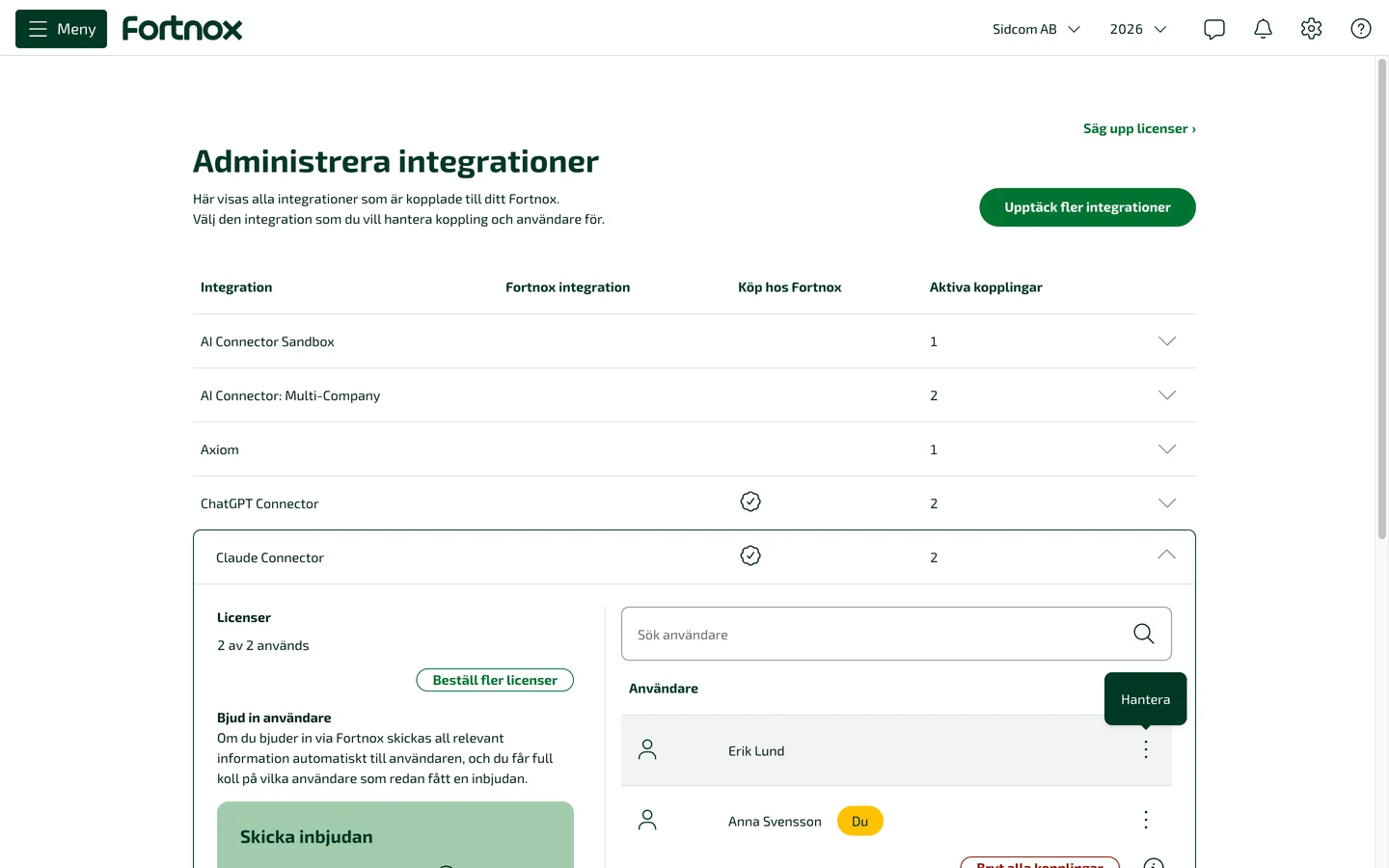
Want to give the licence to someone else?
The licence goes to whoever first connects the company in Copilot, you cannot assign it to a particular person in Fortnox. Click the three dots next to the user who should no longer have it.
ClickHantera
Stuck on this step?
Contact support about this step →Looks different on your screen?
Still stuck? Tell us which step and we will help you through it.
Step 7 of 7
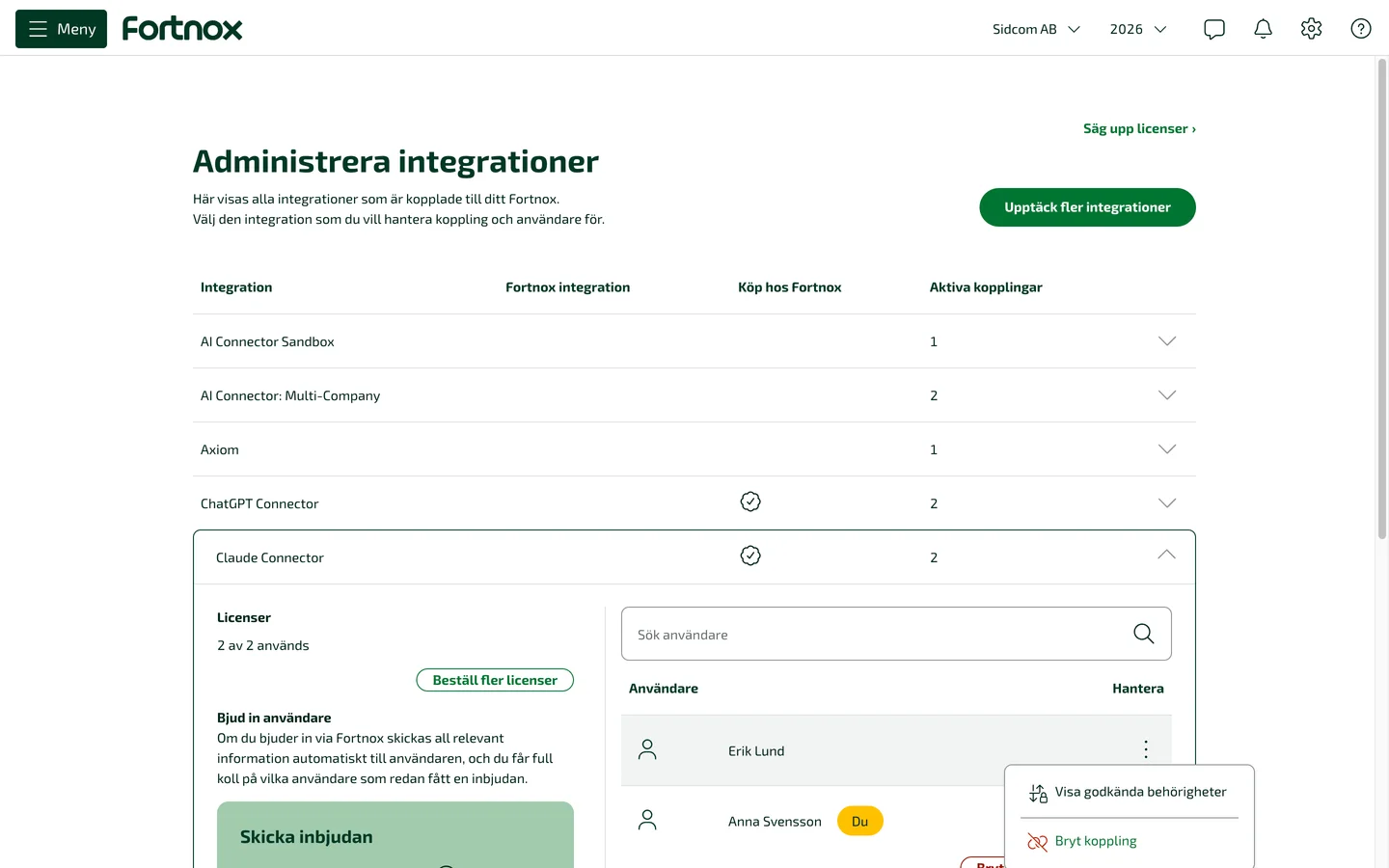
Choose Bryt koppling
Disconnect ends that user's connection and frees the licence. The next person to connect in Copilot gets it.
ClickBryt koppling
The person can connect again later, if a licence is free then.
Stuck on this step?
Contact support about this step →Looks different on your screen?
Still stuck? Tell us which step and we will help you through it.
Screens last checked 30 Sept 2026.
// reviews
The same connector, other assistants.
The Copilot connector is newly released and has no reviews yet. The reviews here are of our Claude and ChatGPT connectors, which cover the same Fortnox modules.
I am very happy with the ChatGPT Connector. The Fortnox integration works smoothly and saves me a great deal of time in the daily work at the accounting firm. Being able to search, analyse and work with the bookkeeping straight from ChatGPT is enormously valuable. Installation went well and support has been fast, personal and helpful. Warmly recommended!
A whole new world opened up when we connected the ChatGPT Connector. We can now tie finance, purchasing and sales together and build our own AI agents that work directly with our systems. We have also had really good support and guidance from Johan and his team throughout. Warmly recommended!
Anything left?
Who may activate the connector?
Whoever is allowed to buy and activate integrations in your Fortnox. If you lack the right, your Fortnox administrator can see it under your contract and grant it to you.
How is it billed?
On your ordinary Fortnox invoice, together with everything else you have with Fortnox. No separate contract with us and no card details.
What happens right after activation?
You add the connector in Copilot Studio, publish the agent to Microsoft 365 Copilot and sign in with your own Fortnox account. The setup itself takes about ten minutes, but the prerequisites in your Microsoft environment are usually set up by IT the first time. The get-started guide walks through both.
Does every colleague need their own licence?
Yes, one licence per user and company. The licence is assigned automatically when someone connects in Copilot, and goes to whoever connects first, so you only need to make sure the company has enough. How to check for free licences and buy more.
Is there anything on top of SEK 99?
No. No Fortnox integration licence and no fees from us. If the Sidcom sign in shows a trial or a payment page, it is not about this connector and you do not need to do anything there.
I have Digital Byrå, which company do I buy on?
The one that is not marked Digital Byrå. Working as a consultant for a client company? The licence is bought on the client company, not on the bureau.
How do I cancel?
In Fortnox, under Administrera integrationer and Säg upp licenser (cancel licences). Removing the connector in Copilot does not stop billing.
We have several companies, what do we do?
Buy the connector in each company you want to use it in, with one licence per user in each company.
I am an accounting firm with many client companies, is this the right product?
Copilot Connector works in several companies, with one licence per user and company. If you are a bureau where every consultant has many client companies, Fortnox AI Connector: Unlimited is the alternative, where the licence follows the consultant instead.
Stuck on something? Just reach out. We reply the same business day, in Swedish or English.